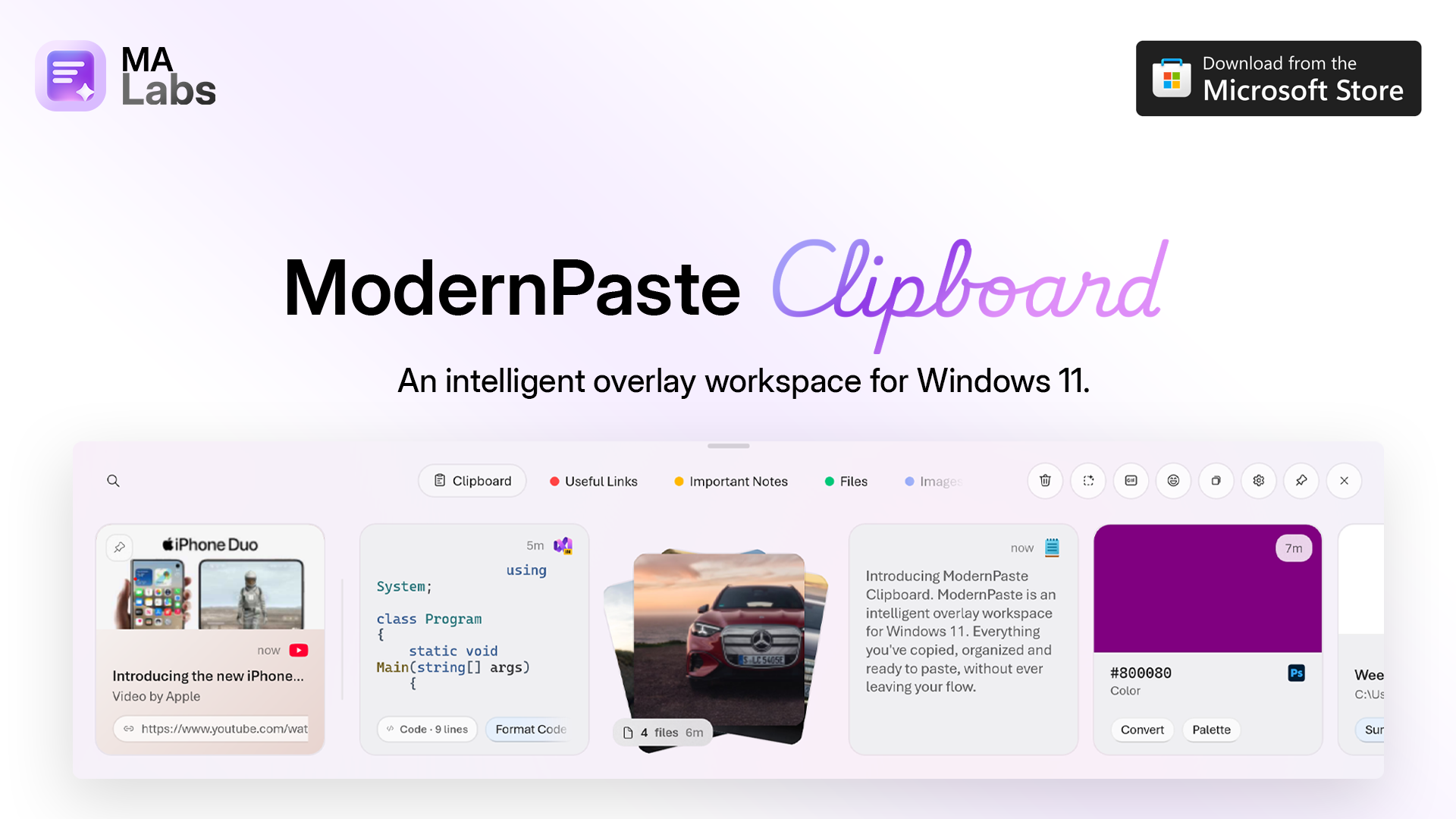
Meet ModernPaste Clipboard for Windows 11. Every copy is one shake away. Smart collections, Automations, local AI, floating cards, and ModernPaste Pro, now on the Microsoft Store.
Introducing ModernPaste Clipboard, a new intelligent clipboard workspace for Windows 11 from ModernApp Labs. Everything you have copied, including text, links, images, files, GIFs, and code, stays organized and ready to paste, without ever leaving your flow. Shake your mouse with Magic Shake and the overlay appears, or let ModernPaste take over Win+V in place of the default Windows clipboard.
What's new: a bigger canvas for everything you've copied. Open the full window to search and filter your entire history in seconds, flip the encryption toggle to keep clipboard data protected, and find anything fast. Smart collections sort code, email addresses, colors, tracking numbers, and more on their own, while custom collections, pinned snippets, file stacks, and cleanup based on your current view keep the rest exactly where you expect it.
New in this release, Automations watch every copy and act on it for you. Match by text, content type, source app, window title, or clip length, then automatically move the clip to a collection, pin it, show a notification, set it to expire, or ignore it, so routine copies file themselves the moment you copy them. Free includes 1 automation, and Pro unlocks unlimited automations.
Pop any clipboard item out as a floating card and place it anywhere on your desktop, search GIFs and pick emoji without leaving the overlay, pull text out of copied images with OCR, and let dynamic accents adapt the overlay to what you've copied. Local intelligence improves writing, fixes grammar, and summarizes in any app on Windows. Every AI action runs on your device, so your words never leave your machine.
For people who paste often, there is ModernPaste Pro. It is a one time $3.99 purchase, and regional pricing may vary. Pro unlocks unlimited Automations, up to 100 collections, unlimited smart template collections with up to 50 templates each, the full card style editor, 10 global quick slot shortcuts, automatic sensitive masking, and Balanced and Focused overlay widths. Pro works offline, is yours forever with free updates, and reactivates free on reinstall or a new PC with Restore purchase. There is no subscription.
ModernPaste Clipboard is available now on the Microsoft Store for Windows 11. Watch the video above, get the app, and if something breaks or you have an idea for what's missing, send feedback. Every message helps shape what ships next.